Face drafting
Face colours and face drafts live in the Faces panel of the shape inspector. Both act on one face at a time.
Choose a face
While the selected shape's Faces panel is open, point at the shape in the view: the face under the pointer is highlighted. Clicking a face in the view chooses it, and the Face stepper jumps to it. A click chooses a face only when neither the pointer nor the shape moves; pressing on the shape and dragging still moves it as usual, and a press that nudges it across a snap step moves it without changing the chosen face. Shift-click still adds to the selection, a shape in front still takes the click, and the transform handles and the empty grid behave as they always have. Picking is off while the panel is collapsed, while the shape is locked, and in the workplane, ruler, edge-modifier and align modes; turning one of those on, or moving the camera, takes the hover highlight away until the pointer moves over a face again.
The Face stepper is the keyboard way to choose a face: type a number or use the previous and next buttons. Faces are numbered from 1, and the panel shows how many the shape has. While the pointer is over the panel, the chosen face is highlighted in the view, or shown in its own colour if it has one. When the shape's faces have stable IDs, as they do once face editing is enabled or a face is drafted, the panel shows the chosen face's Face ID. It is the ID face colours are stored under, and the one GET /faces lists for that face once the project is saved on the server, where faces count from 0, so face 1 in the panel is index 0 there.
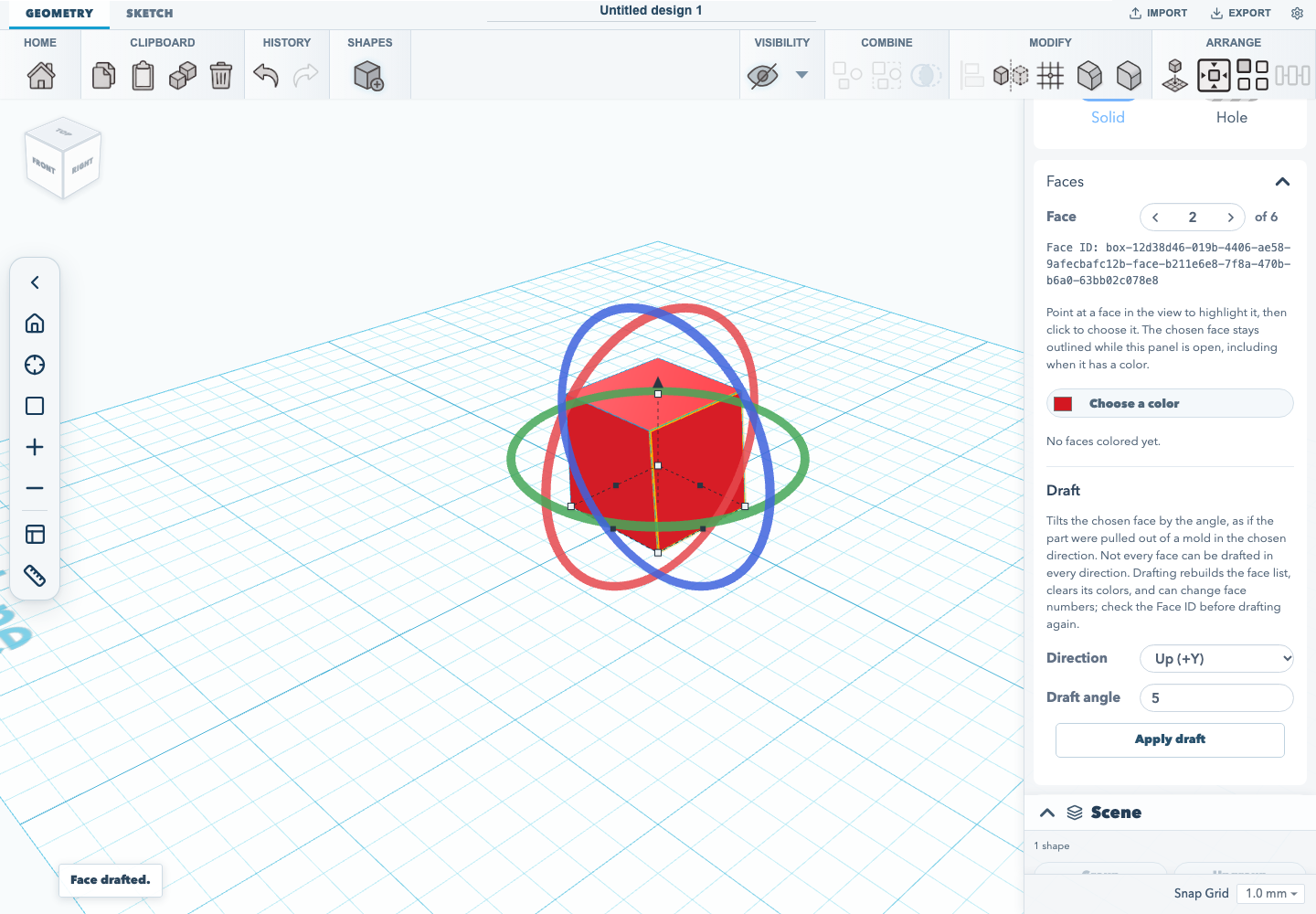
Picking and highlighting change only what the view shows and which face the panel acts on. Nothing is saved and no undo step is recorded until a colour or draft is applied.
Enable face editing
A solid built from a shape's own parameters, such as a box, cylinder, cone, sphere or torus, has no exact faces yet. Its Faces panel offers Enable face editing, which rebuilds the shape in place as exact solid geometry, the same kind a fillet or chamfer produces. Its size stays editable, but settings that belong to the shape type, such as the number of sides, become fixed. The step is undoable. Sketch extrusions, sweeps, filleted or chamfered shapes and STEP imports already have exact faces, so the panel opens on the face tools directly. Holes, text, groups, imported pictures and plain meshes do not offer it. A shape turned any way, including one tilted about a horizontal axis, is rebuilt exactly where it stands.
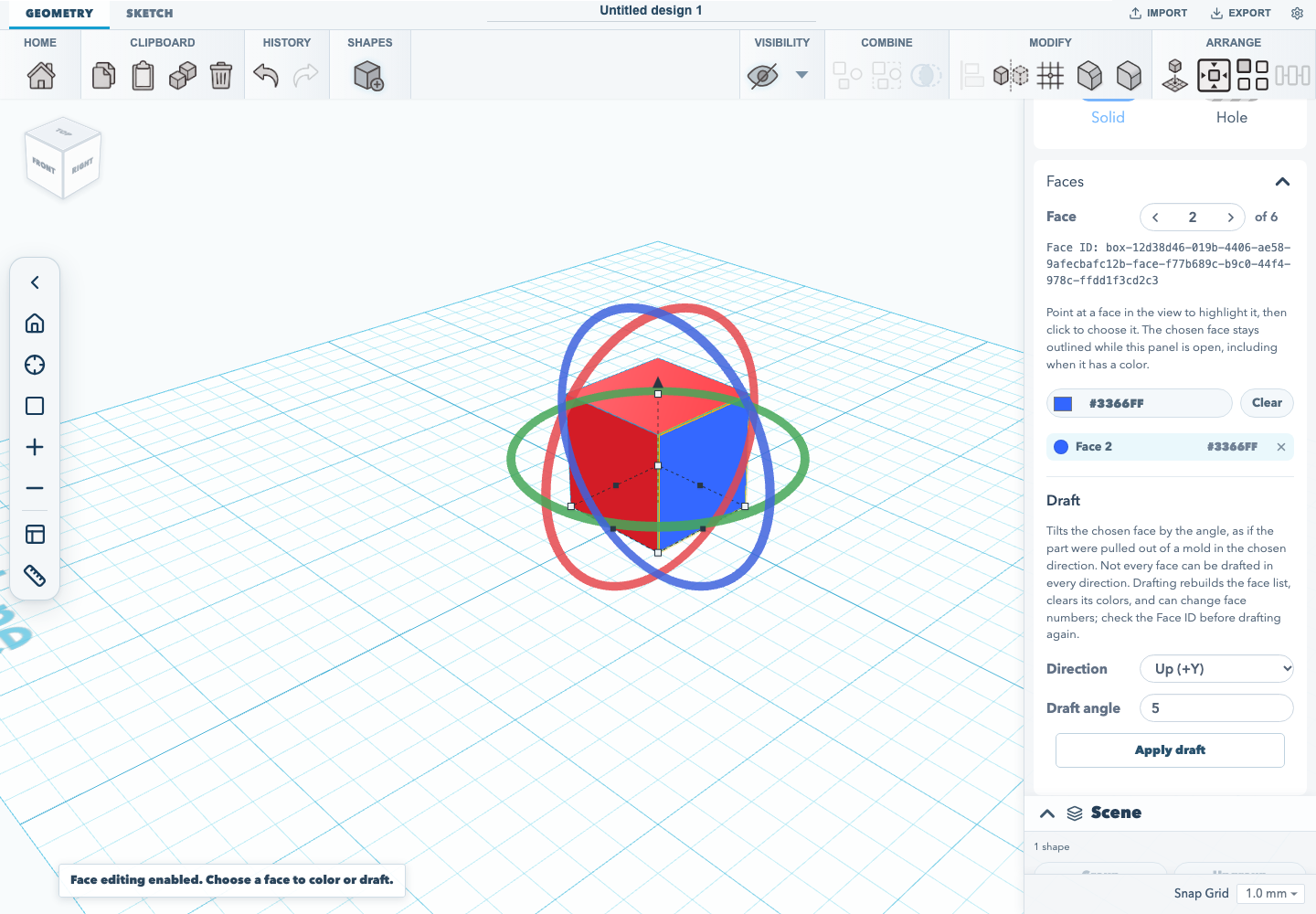
Colour a face
Choose a face, then pick a colour. Coloured faces are listed under the picker. Selecting a row jumps to that face, and its remove button clears the colour. Colours are stored per face, show in the viewport, and are written to 3MF exports.
Draft a face
Face drafting tapers the chosen face, as if the part were pulled out of a mold in the chosen Direction. Choose the direction and a non-zero Draft angle strictly between -45° and 45°, then Apply draft. Combinations that would not give a valid solid are refused with a message, and the shape is left as it was.
Drafts kept with the sketch
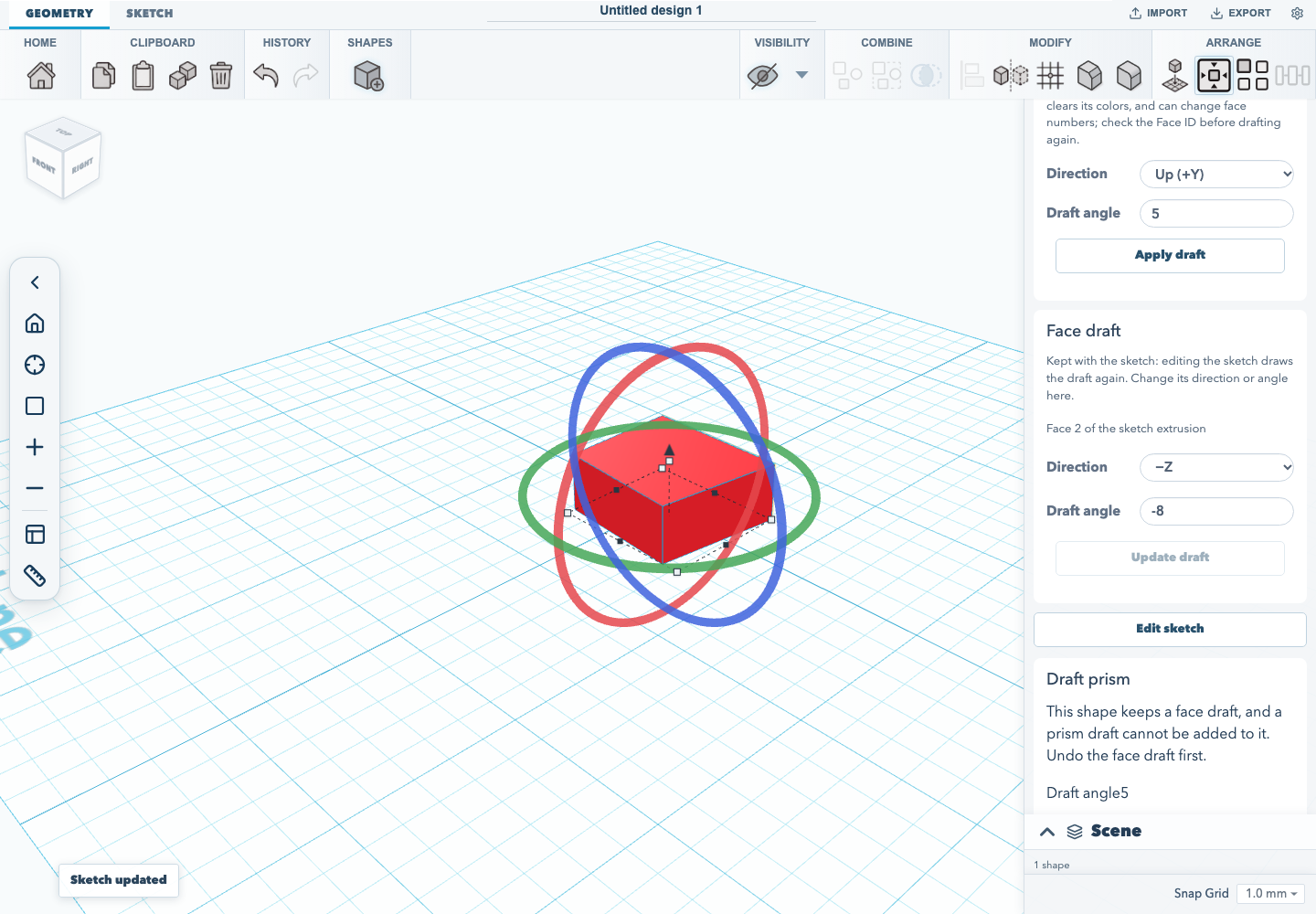
On a sketch extrusion the draft is kept with the sketch, and the status says so. A Face draft card appears under the Faces panel, naming the face it acts on and showing its Direction and Draft angle. Change either and choose Update draft to redraft it. Reopening the sketch with Edit sketch and changing the profile replays the draft on the new outline, finding the face again by the side of the profile it was extruded from. If the draft cannot be rebuilt on the new profile, or the shape has been mirrored, resized, filleted or chamfered since it was drafted, the sketch is not updated and stays open, so the change can be undone or the edit cancelled. Undo steps back through each change and then removes the draft. A shape keeps one draft: a second face draft, or a prism draft on a face-drafted shape, is refused rather than baked over the first. The draft is saved in .skf projects and is the same feature the REST API's PATCH /shapes faceDraft writes, so a script can change it too.
The REST API can also draft a plain full-turn revolve that has legacy face colours keyed by mesh index. GET /faces?topology=exact builds the exact revolve first and returns the IDs used by PATCH /shapes faceDraft. Colours are retained only when a result face maps to the same exact face ID; unmatched colours are dropped deterministically when drafting changes that face.
All-edge chamfers with an angle other than 45° can be replayed after editing a retained sketch profile. Surviving exact planar faces keep their IDs and colours, and recompute uses the stored chamfer angle.
The Draft prism card works the same way. Once applied, it shows the angle the shape keeps and offers Update draft, and editing the sketch replays it.
A draft is kept only on a single-loop sketch extrusion that is exact, has no fillet, chamfer or shell, is not mirrored and has not been resized, and only on a flat face that maps to one side of the profile or to its top or bottom.
The REST API can also keep a face or prism draft on a sketch extrusion that already has mirror flags. It drafts the retained source geometry and leaves those flags on the shape, so the drawn result stays mirrored and a later profile edit can replay the same mirror. The face-draft record's source normal describes the unmirrored geometry used by the draft. The editor still uses a baked draft for mirrored shapes. Projects saved after the earlier REST mirror-loss bug may already have cleared the mirror flags; that lost placement is not recoverable from the saved draft alone.
The drafted solid keeps the undrafted extrusion's placement. Draft growth does not recenter the unchanged faces: their world positions stay fixed. When a sketch edit moves the profile bounds, the placement follows that centre shift in the shape's rotated coordinate frame. A plain, undrafted sketch extrusion continues to keep its centre where it was during a sketch edit.
This corrects the placement of new drafts and of drafts replayed after a sketch edit. Existing .skf files need no schema migration because no stored fields changed. Opening a file does not rewrite a draft's saved placement; an existing draft is repositioned under the corrected rule when it is replayed by a sketch edit.
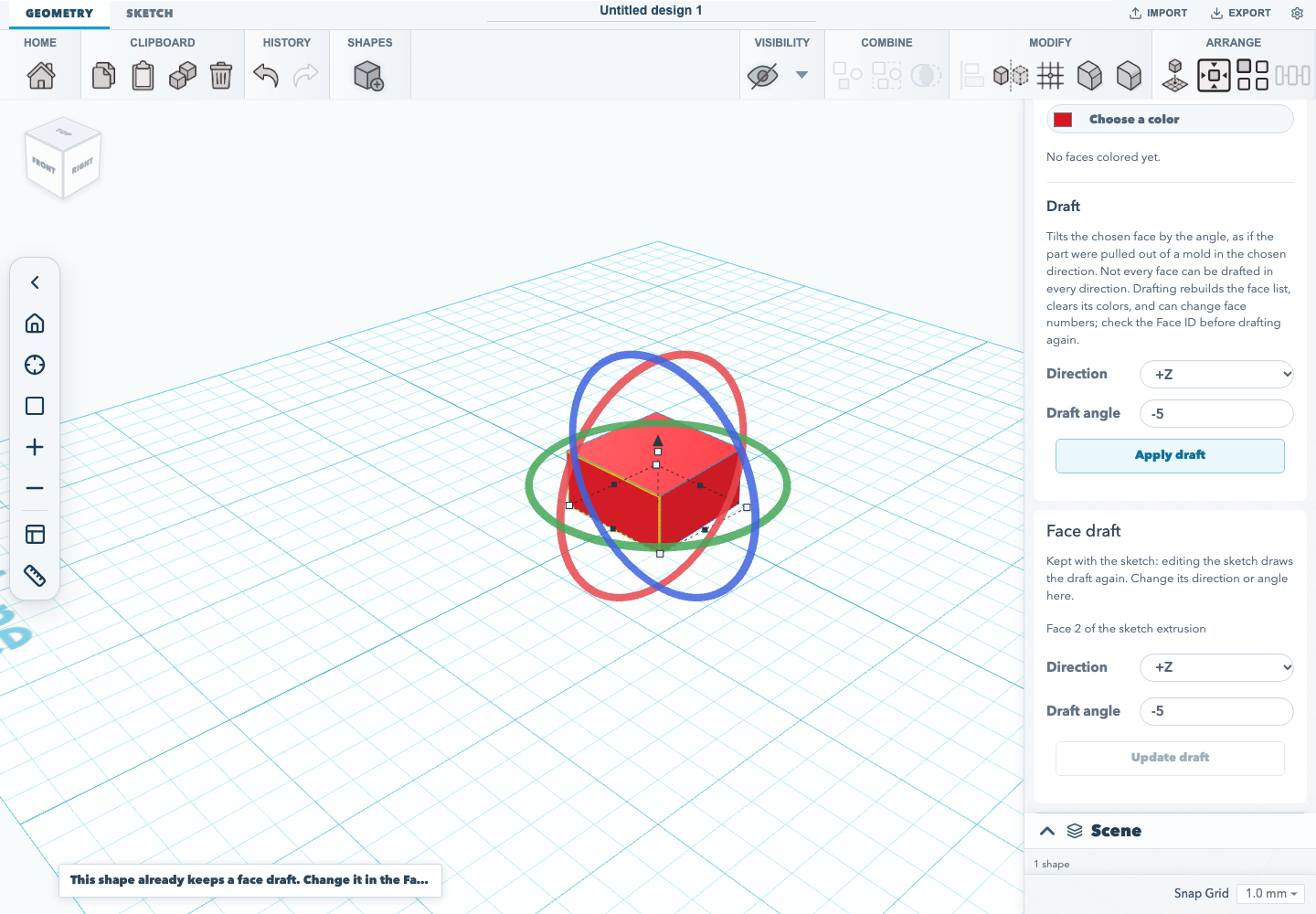
Baked drafts
On any other shape, such as a box made exact with Enable face editing, a sweep, a revolve or a filleted part, the result is baked geometry. It replaces the source shape, receives new face IDs, and does not keep face colours or edge-treatment metadata. Nothing replays it when the shape changes.
The pull direction is ±X, ±Y (up and down), or ±Z in the solid's own frame. Choosing the opposite direction can expose draft cases on the other side of a part. Axis availability does not mean every face and angle works with every axis. Measured cases below come from the editor-plane 20 × 20 mm square profile extruded 10 mm along +Y, then physically rotated in the B-rep before drafting. Face numbers refer to the kernel's face listing for that fixture, not semantic labels that transfer to other solids. The listing counts from 0 and the Faces panel from 1, so listing index 0 is face 1 in the panel.
| Pull axis | B-rep orientation | Face listing index | Draft angles verified |
|---|---|---|---|
| +X | Rotated +90° around local Y | 0 | -30°, +30° |
| +Y | Rotated -90° around local X | 2 | +10° |
| -X | 10 mm box | 0 | +5°, +30° |
| -Y | 10 mm box | 2 | +5°, +30° |
The 10 mm box has also been verified for faces 0–3 at ±5° and ±30° along +Z and -Z. The unrotated editor-plane extrusion fixture has also been verified for faces 1, 3, 4, and 5 at ±5° along +Z. These are narrow acceptance samples, not a guarantee for other faces, dimensions, solids, axes, or angles. For example, face 1 at -5° is rejected along +X and +Y on the unrotated extrusion fixture.
Automated kernel coverage lives in tests/e2e/draftFaceEditor.e2e.ts, and tests/unit/editorRetainedDrafts.test.ts checks that the editor's kept draft, its angle edit and its replay through a profile edit each have the REST record and are the same solid as the REST result, by volume and by centre of mass in the world, at an outward angle where the bounds change. Browser acceptance flows cover the editor. tests/browser/face-drafting.test.mjs drafts face 2 of a box made exact and checks the result is baked. It then creates the default rectangular sketch extrusion, drafts face 2 along +Z at -5°, checks a second draft is refused, changes the kept draft in the Face draft card, undoes and redoes it, saves the project as .skf, opens it again, drags a corner of the sketch and checks the draft is replayed. A third flow applies, keeps and replays a prism draft on an edited profile. Each step checks the inspector's size and position readouts, not only the card's fields. tests/browser/face-tools.test.mjs adds a plain box, enables face editing, checks the chosen face is highlighted, picks it again by hovering and clicking it in the view, colours it, and drafts it. It then picks a drafted face, checks the shown face ID against GET /faces for the project the editor saved on the server, checks a camera move clears the hover highlight, and picks again after the shape is deselected and reselected. Each waits for the editor's success status before capturing the result.
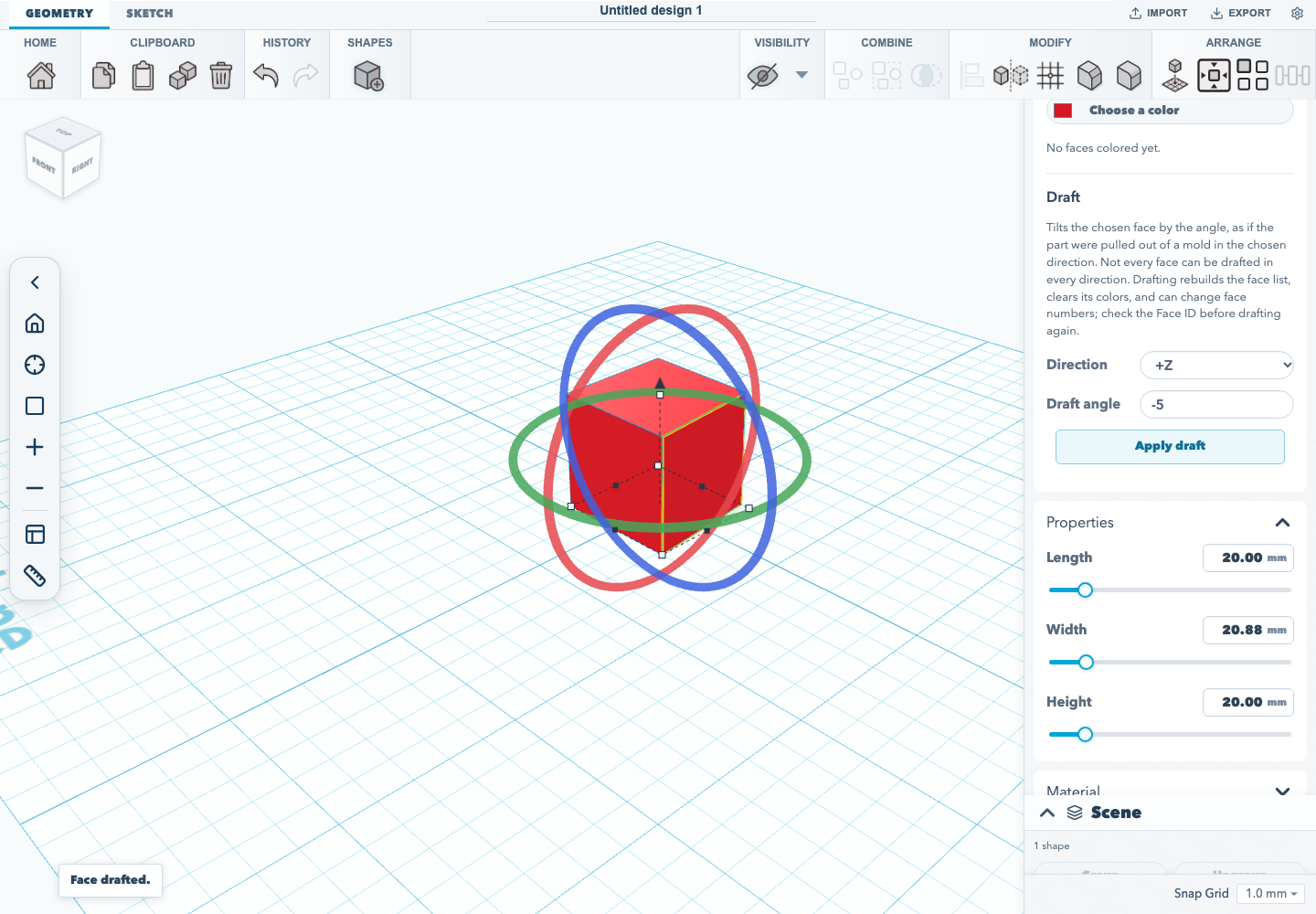
Run the acceptance flow after building the app with npm run test:browser.
Documentation version: 1.30.0 · Repository revision: 1cb9fee8dff4d394684c229dd67a21da539d167f · View source