SketchForgeDocumentation
Guides and reference assembled from the repository's maintained sources.
 | SketchForgeA local-first 3D design editor that runs in your browser.Build shapes, cut holes, group parts, import STL files, and export models without accounts, cloud lock-in, or heavyweight CAD setup. |





This is a fork. SketchForge was created by Formsmith746, and this repository carries that work forward with additional features and fixes — exact CAD booleans and fillets, a REST API and MCP bridge, server-side project storage, hollowing, 3MF export and more. Bug reports and feature requests for this build belong here; the original project is a better place for anything about upstream SketchForge itself. If you find SketchForge useful, the sponsor link above goes to its original author.
Why SketchForge
SketchForge is a lightweight CAD-style workspace for people who want to sketch, cut, and export 3D models quickly.
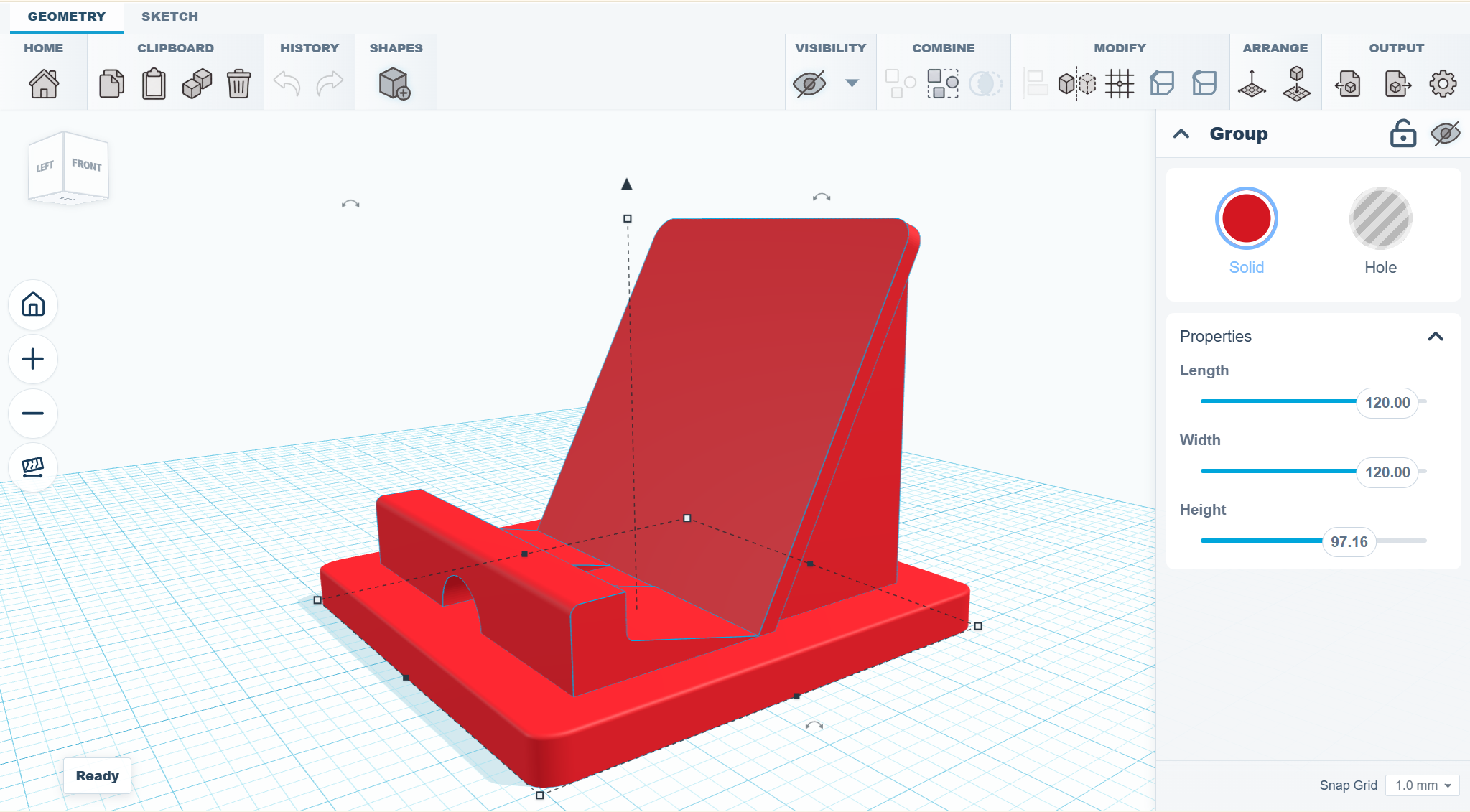
It is built for the satisfying loop: drop a shape, resize it, rotate it, make another shape a hole, group the result, import an STL if primitives are not enough, and export the finished model.
No login. No server project storage. No heavyweight CAD install just to make a useful part.
What It Does
- Local-first projects - designs live in browser storage with generated project thumbnails.
- Real 3D workplane - grid, camera controls, snap settings, transform handles, outlines, and inspector controls.
- Primitive shape library - boxes, cylinders, spheres, cones, pyramids, wedges, text, roofs, half spheres, torus shapes, tubes, and more.
- Solid and hole workflow - turn shapes into cutters and group them into final geometry.
- Boolean Intersection - keep only the geometry where selected solid and hole shapes overlap.
- Reversible edge tools - chamfer and fillet selected CAD edges, with history controls for removing applied edge features.
- Rotated solid edge treatment - chamfer and fillet preserve analytic box topology after one-, two-, or three-axis rotations.
- STL import - bring outside models into the same workspace as primitives.
- STL, OBJ, and STEP workflows - export selected objects or the whole scene, and round-trip exact STEP/B-Rep geometry.
- Fast browser stack - Next.js, React, TypeScript, Three.js, and Manifold/CSG geometry tooling.
Camera projection shortcut
Press O in the editor to switch between perspective and orthographic projection. The current view direction and framing are preserved when switching.
Demo
Try the live browser demo. The demo saves projects in your browser; server-side project storage and the REST API require a server deployment.
Installation
Choose an installation based on how you want to use SketchForge. The browser app and desktop releases are for designing; Docker is useful when you want to host the app for a classroom or local network. You do not need an account for any of these options.
| Path | Best for | Difficulty |
|---|---|---|
| Browser app | Trying SketchForge without installing anything | Easiest |
| Desktop releases | Offline use on Windows, Linux, or macOS | Easy |
| Docker | Classrooms, shared computers, or local network hosting | Recommended for hosting |
| Run from source | Developers who want to change the code | Requires Node.js |
| Static export | Hosting the browser app on static web hosting | Advanced |
SketchForge is local-first across these options. The app files may be served from a computer or server, but private projects stay in each user's browser storage unless an operator configures server-side project storage. STL and OBJ exports download through the user's browser. SketchForge does not upload models to a SketchForge cloud service.
The browser app requires no installation. For desktop use, download the release for your operating system. For a self-hosted installation, Docker Compose builds SketchForge locally; the prebuilt GHCR image avoids the build step. Desktop and Docker setup details follow below.
Linux Desktop Release
GitHub releases include a Linux AppImage for 64-bit Intel and AMD machines (x86_64). An AppImage is a single file that runs without installation.
- Download
SketchForge-<version>-x86_64.AppImage. - Mark it executable.
- Run it.
chmod +x SketchForge-*-x86_64.AppImage
./SketchForge-*-x86_64.AppImage
To get a menu entry and an icon, install AppImageLauncher and open the AppImage once. AppImageLauncher moves the file to a fixed location and registers it with the desktop.
Closing the SketchForge window quits the application. On desktops that provide a system tray, SketchForge also adds a tray icon while it runs.
To open a project, pass its path when you start SketchForge. The project opens in the editor as a new local project. If SketchForge is already running, the file opens in the existing window.
./SketchForge-*-x86_64.AppImage Bracket.skfDouble-clicking a .skf file does not work out of the box on Linux. The AppImage's desktop entry lists the application/vnd.sketchforge.project+zip type, but an AppImage cannot install the MIME definition that tells the desktop .skf files have that type. To enable double-click, integrate the AppImage first (for example with AppImageLauncher, above), then register the type for your user:
mkdir -p ~/.local/share/mime/packages
cat > ~/.local/share/mime/packages/sketchforge-project.xml <<'EOF'
<?xml version="1.0" encoding="UTF-8"?>
<mime-info xmlns="http://www.freedesktop.org/standards/shared-mime-info">
  <mime-type type="application/vnd.sketchforge.project+zip">
    <comment>SketchForge Project</comment>
    <glob pattern="*.skf" weight="60"/>
  </mime-type>
</mime-info>
EOF
update-mime-database ~/.local/share/mime
ls ~/.local/share/applications | grep -i sketchforge
xdg-mime default <desktop-file-from-ls> application/vnd.sketchforge.project+zip
Replace <desktop-file-from-ls> with the .desktop file name the ls line printed. xdg-mime query filetype Bracket.skf should then print application/vnd.sketchforge.project+zip.
Ubuntu 24.04 and Debian 13
These releases restrict unprivileged user namespaces, which the Chromium sandbox inside Electron needs. Starting the AppImage from a terminal then fails, often without a visible error. Check whether the restriction is active:
sysctl kernel.apparmor_restrict_unprivileged_usernsIf the value is 1, start SketchForge from the application menu. The bundled launcher entry already handles this case. To start it from a terminal on these systems, either add an AppArmor profile for the AppImage, or pass --no-sandbox:
./SketchForge-*-x86_64.AppImage --no-sandboxLinux Virtual Machines
Some virtual machines do not provide hardware WebGL. Launch SketchForge with software WebGL in that case:
./SketchForge-*-x86_64.AppImage \
  --use-angle=swiftshader \
  --enable-unsafe-swiftshader
Windows Desktop Release
GitHub releases include the 64-bit Windows installer SketchForge-Setup-<version>-x64.exe, its update blockmap SketchForge-Setup-<version>-x64.exe.blockmap, and the latest.yml manifest used by automatic updates. Download the .exe installer.
- Download and run the installer.
- If Windows SmartScreen warns that the app is unrecognized, verify that you downloaded it from the SketchForge GitHub release, then choose More info and Run anyway.
The Windows installer is currently unsigned because the project does not have a Windows code-signing certificate configured. The installer still supports automatic updates. Opening a .skf file starts SketchForge or opens it in the running app.
macOS Desktop Release
GitHub releases include macOS DMG files for Intel (x64) and Apple Silicon (arm64) Macs. Choose the file that matches your Mac.
- Open the downloaded DMG file.
- Drag
SketchForge.appto theApplicationsfolder. - Eject the DMG file.
- Control-click
SketchForge.appinApplications. - Select Open, then select Open again.
Unsigned releases have -unsigned in the file name. macOS shows a Gatekeeper warning for these releases. If macOS does not show the Open option, run this command in Terminal:
xattr -dr com.apple.quarantine /Applications/SketchForge.app
open /Applications/SketchForge.app
Do not open the app from Safari's Downloads folder or directly from the mounted DMG. Copy it to Applications first.
Once SketchForge is in Applications, double-click a .skf file or drop it on the Dock icon to open it. The project opens in the editor as a new local project, in the running app if SketchForge is already open. The Windows installer registers .skf files the same way.
macOS Virtual Machines
Some macOS virtual machines do not provide hardware WebGL. Launch SketchForge with software WebGL in that case:
/Applications/SketchForge.app/Contents/MacOS/SketchForge \
  --use-angle=swiftshader \
  --enable-unsafe-swiftshader
Download the Project
If you already know Git:
git clone https://github.com/constructorfleet/SketchForge-3D.git
cd SketchForge-3D
If you do not know Git yet:
- Open the GitHub page for this repository.
- Press the green Code button.
- Press Download ZIP.
- Extract the ZIP somewhere easy to find, such as your Desktop.
- Open a terminal in the extracted folder.
On Windows, you can open PowerShell in the folder by opening the folder, clicking the address bar, typing powershell, and pressing Enter.
Docker / FabLab Server (Recommended)
Docker is the easiest way to run SketchForge for a classroom, workshop, or FabLab. It packages the build tools, Next.js server, health check, persistent shared-project storage, and restart behavior together.
What You Need
- Docker Desktop on Windows or macOS, or Docker Engine on Linux
- Docker Compose, which is included with modern Docker Desktop
- This repository downloaded on the server computer
If docker is not recognized, install Docker Desktop and open it once before running the commands.
Start SketchForge
Compose (Build images locally)
From the SketchForge project folder, run:
docker compose -f deploy/docker/compose.yaml up --build -dThe first start can take a few minutes because Docker builds the app.
Compose (Prebuilt)
From the SketchForge project folder or with the downloaded deploy/docker/compose-ghcr.yaml, run:
docker compose -f deploy/docker/compose-ghcr.yaml up -dStandalone (Prebuilt)
docker run -d --name sketchforge --restart unless-stopped \
  -p 3000:3000 \
  -e SKETCHFORGE_SHARED_PROJECTS_DIR=/data/projects \
  -v sketchforge-shared-projects:/data/projects \
  ghcr.io/constructorfleet/sketchforge-3d:latest
After running, open this on the same computer:
http://127.0.0.1:3000/If that works, SketchForge is running.
The container listens on port 3000. It also accepts connections on port 80 for backward compatibility with older UnRAID templates and forwards them to the same server. New Docker and UnRAID configurations should use container port 3000.
Server-Side Project Storage
By default every private project autosaves in the browser that made it, which a cleared profile takes with it. Set SKETCHFORGE_PROJECTS_DIR and the server holds them instead:
docker run -d --name sketchforge --restart unless-stopped \
  -p 3000:3000 \
  -e SKETCHFORGE_PROJECTS_DIR=/data/my-projects \
  -v sketchforge-projects:/data/my-projects \
  ghcr.io/constructorfleet/sketchforge-3d:latest
The server runs as UID 1000. At start the container creates the configured storage directories and hands them to that user, on a named volume or a bind mount alike; see volume ownership for running without root.
The directory replaces browser storage rather than mirroring it: the dashboard reads its list from the server, autosave writes there, and deleting a project deletes it there. Each project is two files — <project id>.json for the dashboard's own record of it and <project id>.skf for the geometry — written through a temporary file so an interrupted save cannot leave half a project behind.
Projects already held in a browser are moved up the first time it reaches a server with the directory set, and the dashboard says how many it moved. If any of them cannot be moved, that browser keeps its own storage and says so, rather than carrying on with half a list on the server.
Turning the directory back off restores that browser's own list, so the projects it had before the move reappear rather than the dashboard coming up empty. Anything created while the server held the projects stays on the server.
This needs the server, so it does not apply to a static-export build. Shared projects below are unaffected and remain a separate, explicitly-published library.
REST API
With server-side storage on, setting SKETCHFORGE_API_TOKEN also exposes a REST API for building projects from a script: it creates projects and adds, changes, and deletes shapes described as JSON, with no editor open. Without the token there is no API at all. See docs/REST_API.md.
Shared Docker Projects
Docker deployments include a shared .skf project library. Private projects still autosave in each user's browser. The Shared dashboard section lists files stored in /data/projects, and Export → SKF → Save to shared writes the current project there. Revision-matched PNG previews are stored beside the library in /data/projects/.thumbnails and appear on shared project cards.
Compose uses the persistent sketchforge-shared-projects volume by default. To use a directory on the Docker host instead, set SKETCHFORGE_SHARED_PROJECTS_VOLUME before starting Compose:
Windows PowerShell:
$env:SKETCHFORGE_SHARED_PROJECTS_VOLUME = "C:/SketchForge/shared-projects"
docker compose -f deploy/docker/compose.yaml up --build -d
Linux or macOS:
SKETCHFORGE_SHARED_PROJECTS_VOLUME=/srv/sketchforge-projects docker compose -f deploy/docker/compose.yaml up --build -dOpening a shared file creates a private local working copy. Saving back checks the server revision first; if another user has changed the file, SketchForge refuses to overwrite it and asks the user to reload or save with another name. This is shared file storage, not simultaneous live editing.
Let Other Computers Join
Other computers on the same Wi-Fi or LAN need the server computer's local IP address.
On Windows PowerShell, run:
ipconfigLook for the IPv4 Address, for example:
192.168.1.25Then other computers can open:
http://192.168.1.25:3000/Use your own IP address, not the example one.
Use a Different Port
If port 3000 is already being used, choose another port such as 8080.
Windows PowerShell:
$env:SKETCHFORGE_PORT = "8080"
docker compose -f deploy/docker/compose.yaml up --build -d
Linux or macOS:
SKETCHFORGE_PORT=8080 docker compose -f deploy/docker/compose.yaml up --build -dThen open:
http://127.0.0.1:8080/Stop SketchForge
docker compose -f deploy/docker/compose.yaml downUpdate SketchForge Later
The home dashboard's Settings panel checks the official version and displays an update prompt when a newer version is available. It never installs an update automatically. Choosing Not now dismisses only that version, so a later release will be offered again.
If you used Git, update the existing checkout in place. You do not need to remove or download the repository again:
git pull
docker compose -f deploy/docker/compose.yaml up --build -d
If you use the prebuilt GHCR Compose file:
docker compose -f deploy/docker/compose-ghcr.yaml pull sketchforge
docker compose -f deploy/docker/compose-ghcr.yaml up -d --no-deps sketchforge
If you downloaded the ZIP, download the newest ZIP, extract it, and run:
docker compose -f deploy/docker/compose.yaml up --build -dApplication updates do not clear private projects stored in the browser. Docker shared projects remain in the existing sketchforge-shared-projects volume or the host directory configured with SKETCHFORGE_SHARED_PROJECTS_VOLUME. Never add --volumes or -v to an update command.
For an administrator-managed one-click installation, configure all of the following server variables:
SKETCHFORGE_UPDATE_TRIGGER_URL: an internal HTTPS endpoint that pulls/recreates only the SketchForge application while retaining its existing project volume.SKETCHFORGE_UPDATE_ADMIN_KEY: the key the administrator must enter in the confirmation dialog.SKETCHFORGE_UPDATE_TRIGGER_TOKEN(optional): a bearer token SketchForge sends only to the internal update service.
Without an administrator-managed trigger, the confirmation opens these safe update instructions instead of granting the web container access to the Docker socket.
A server run from a git clone (npm run dev or npm start) can update its own checkout from the dashboard when you open it at localhost. It requires SKETCHFORGE_UPDATE_ADMIN_KEY, which the dialog asks for. If the server listens only on loopback, you can set SKETCHFORGE_LOCAL_UPDATE=1 instead. See application updates for why both exist.
Docker Troubleshooting
dockeris not recognized: install Docker Desktop, open it, and try again.- Docker says the daemon is not running: Docker Desktop is closed or still starting.
- Port already in use: use another port, for example
8080. - Other computers cannot connect: check that they are on the same network and that the server firewall allows the chosen port.
- The page opens but old files appear: stop and rebuild with
docker compose -f deploy/docker/compose.yaml down, thendocker compose -f deploy/docker/compose.yaml up --build -d.
If you already have Node.js installed, the repository also includes shortcuts:
npm run docker:up
npm run docker:down
Local Development
Use this path if you want to edit SketchForge's code.
What You Need
- Node.js 20 or newer
- npm, included with Node.js
Check your versions:
node -v
npm -v
If those commands do not work, install Node.js from the official Node.js website and reopen your terminal.
Install and Run
From the SketchForge project folder:
npm install
npm run dev
Open:
http://127.0.0.1:3000/Leave the terminal open while you use the app. To stop the development server, press Ctrl+C in the terminal.
Useful Developer Commands
Run TypeScript checks:
npm run typecheckRun tests:
npm run testStart the local SketchForge MCP bridge for editor automation:
npm run mcp:sketchforgeOutside a checkout, the same bridge is a published binary -- see "MCP" below:
npx -y -p @constructorfleet/sketchforge3d sketchforge-mcpRun the desktop app against the dev server, optionally opening a project the way a double-click would. A relative path is read from the repository root:
npm run desktop:dev -- /path/to/Bracket.skfCreate a production build:
npm run buildBuild a static export:
npm run exportStatic Export
npm run export creates a static build for a web server or static hosting provider. This option is intended for operators comfortable building and deploying the repository. Static exports do not support server-side project storage or the REST API; use Docker or another server deployment for those features. See the deployment guide for hosting details.
Contributing
Contributions are welcome. Good places to help:
- editor bug fixes
- geometry and boolean test cases
- STL import/export edge cases
- UI polish
- documentation screenshots and videos
- accessibility and performance improvements
Read .github/CONTRIBUTING.md before opening a pull request.
Translations
The interface is available in English, Čeština, Deutsch, Español, Français, Polski, Português (Brasil) and Русский; the language follows the system and can be changed in Settings. To add a language, follow docs/TRANSLATIONS.md.
Security
Please do not open public issues for security-sensitive reports. Read .github/SECURITY.md for the reporting process.
License
Copyright © 2026 SketchForge contributors.
SketchForge is licensed under the GNU Affero General Public License v3.0 only (AGPL-3.0-only). If you modify SketchForge and let users interact with the modified version over a network, you must offer those users the corresponding source code under the same license. See LICENSE.
The application exposes a Source link in the dashboard. Operators distributing or hosting a modified build should set NEXT_PUBLIC_SOURCE_CODE_URL at build time to the public URL containing that build's complete corresponding source code.
SketchForge MCP Skill
SketchForge includes a local MCP server for AI clients that support MCP tools. It lets an agent inspect and control a live local editor tab: list open editors, read the scene, create/update/select objects, group/cut/separate parts, list CAD edge ids, apply chamfer or fillet, inspect errors, and capture viewport images.
This is for local development only. Run SketchForge with npm run dev; the MCP route is disabled in production builds and Docker/static hosting.
The same server can also run macros -- parameterised scripts that build a part through the headless REST API rather than through an editor tab. Set SKETCHFORGE_MACRO_DIR to a folder of macro files and sketchforge_list_macros and sketchforge_run_macro become available; with that variable unset they do nothing. Only files already in that folder can be run, and there is no tool that executes code sent to it, so what an agent can run is exactly what the operator installed. Writing a macro is covered in packages/sketchforge-client and packages/sketchforge-py.
Start SketchForge for MCP
From the SketchForge project folder:
npm install
npm run dev
Open an editor tab:
http://127.0.0.1:3000/?editor=1The AI client starts the MCP server with:
npx -y -p @constructorfleet/sketchforge3d sketchforge-mcpNo clone and no build: the bridge ships in the published client package, so an MCP client can start it the same way it starts any other stdio server. Point it at a SketchForge that is not on the default port with SKETCHFORGE_URL.
From a checkout, the same bridge runs without the download:
npm run mcp:sketchforgeCodex
The Codex skill is included at:
docs/skills/sketchforge-mcp-skillInstall it into your Codex skills folder.
Windows PowerShell:
New-Item -ItemType Directory -Force "$env:USERPROFILE\.codex\skills" | Out-Null
Copy-Item -Recurse -Force "docs\skills\sketchforge-mcp-skill" "$env:USERPROFILE\.codex\skills\sketchforge-mcp-skill"
macOS or Linux:
mkdir -p ~/.codex/skills
cp -R docs/skills/sketchforge-mcp-skill ~/.codex/skills/
Then add an MCP server entry to your Codex config. Use docs/mcp/codex-config.example.toml as the template and replace the script path with the absolute path on your machine. Restart Codex after changing the config.
Once installed, ask Codex:
Use $sketchforge-mcp-skill to list my open SketchForge editors and inspect the current scene.Claude
Claude does not use Codex SKILL.md files, but it can use the same SketchForge MCP server. Add the server to Claude Desktop's MCP config using docs/mcp/claude-desktop-config.example.json as the template, replacing the script path with the absolute path on your machine.
After restarting Claude Desktop, ask:
Use the SketchForge MCP tools to list open editors, inspect the scene, and modify the selected object.The main tool names are sketchforge_list_editors, sketchforge_read_scene, sketchforge_list_objects, sketchforge_create_shape, sketchforge_update_object, sketchforge_list_edges, sketchforge_apply_edge_treatment, sketchforge_capture_image, and sketchforge_project_view.
Choose a task
- Create, edit, save, and export a model: follow the editable model workflow, then keep the
.skfproject format guide nearby. - Constrain a sketch: follow the sketch constraints guide to select segments and apply Parallel or Perpendicular.
- Sweep a section along a spine: follow the sketch sweep guide for the section, start marker, and live 3D preview.
- Call the REST API: start with API setup, operations, and errors, then inspect the OpenAPI contract or use the TypeScript client reference and Python client reference.
- Deploy or configure SketchForge: start with the deployment guide, then use the operator configuration reference for supported values, owners, and implementation readers.
- Taper a CAD face: follow the face-drafting guide for selectable pull axes and measured kernel support.
- Check parts for collisions or thin walls: use the editor's interference and wall-thickness checks.
- Automate a design: follow the command-line reference and run the client package examples.
- Use MCP tools: run the local MCP project example and browse the MCP tool reference.
- Inspect or exchange a project: read the editable
.skfproject guide and its generated format reference.
Documentation version: 1.30.0 · Repository revision: 1cb9fee8dff4d394684c229dd67a21da539d167f · View source